A Web Application Firewall (WAF) is no longer optional — it’s a foundational layer of any serious application security strategy. But choosing how to deploy one is where most organizations get stuck.
Should you buy a physical appliance and run it in your data center? Spin up a virtual instance inside your private cloud? Or route traffic through a cloud-based WAF managed by a third-party provider?
Each model has real technical trade-offs. This guide breaks them down — without the marketing fluff — so you can make the right call for your infrastructure, compliance requirements, and threat landscape.
What Is a Web Application Firewall (WAF)?
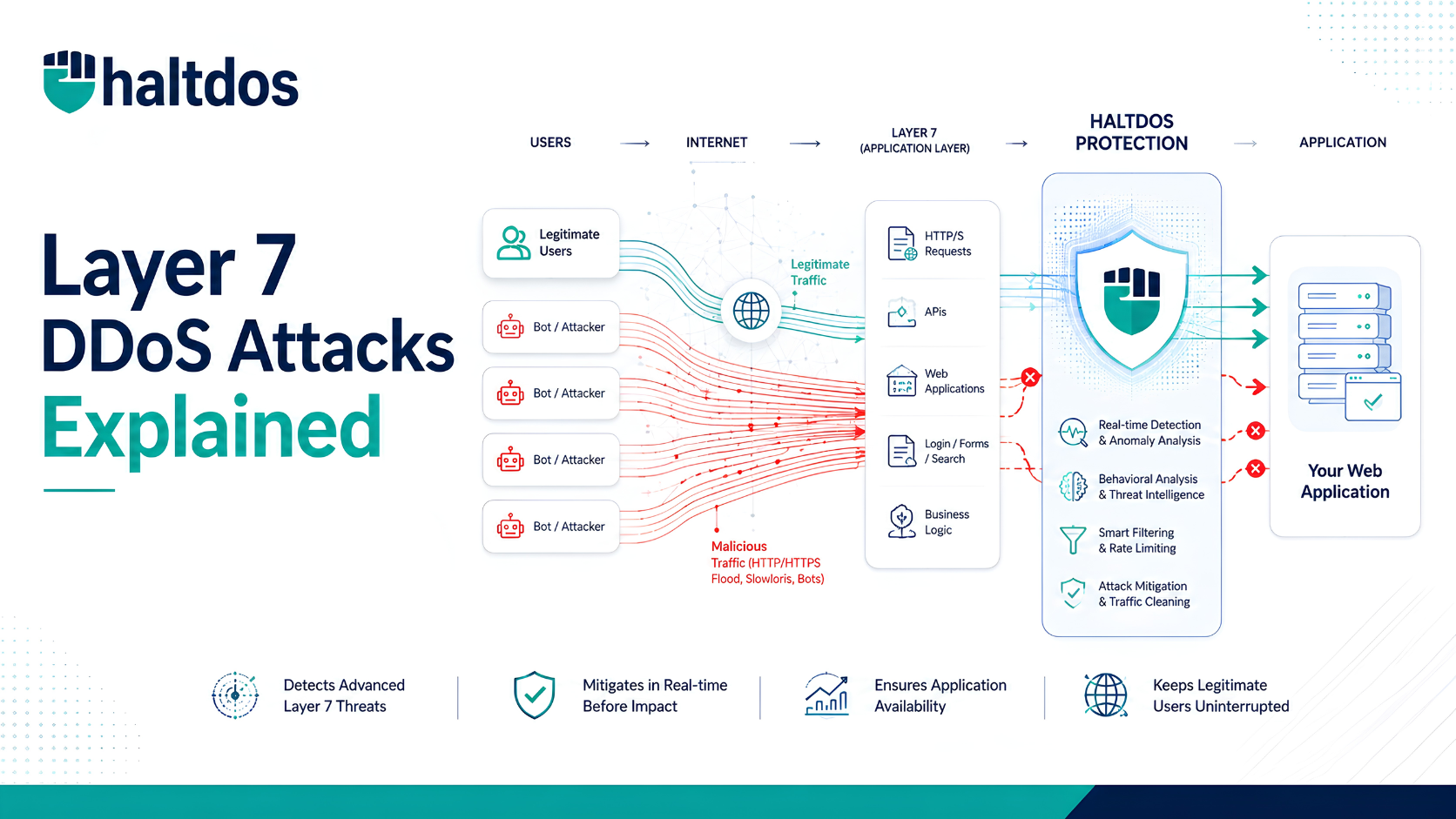
A Web Application Firewall operates at Layer 7 (Application Layer) of the OSI model. Unlike traditional firewalls that inspect IP/TCP headers, a WAF inspects the actual content of HTTP/HTTPS requests and responses — blocking attacks like:
- SQL Injection (SQLi)
- Cross-Site Scripting (XSS)
- Remote File Inclusion (RFI)
- OWASP Top 10 vulnerabilities
- API abuse and bot traffic
- Zero-day exploits via behavioral analysis
WAFs can be deployed in three primary models: On-Premise (Hardware), Virtual, and Cloud-based.
On-Premise WAF — Full Control, Full Responsibility
What Is an On-Premise WAF?
An on-premise WAF is a dedicated physical appliance installed within your own data center. It sits in-line with your network traffic — inspecting every request before it reaches your web servers.
Popular examples include hardware appliances from vendors like Imperva, F5, and Barracuda.
Key Technical Characteristics
- Deployed as a physical rack-mounted device
- Traffic never leaves your network perimeter
- Custom rule sets and signature tuning done in-house
- Inspection throughput depends on the appliance’s hardware specs (e.g., 10 Gbps, 40 Gbps)
- SSL/TLS termination handled locally
Advantages of On-Premise WAF
Complete Data Sovereignty — Traffic and logs stay within your infrastructure. Critical for industries like BFSI, Government, and Healthcare where data residency laws apply (e.g., RBI guidelines, DPDP Act India 2023).
Low Latency — No traffic redirection to external nodes. Ideal for latency-sensitive applications.
Deep Customization — Security teams can write granular rules, custom signatures, and integration with internal SIEM tools.
Predictable Performance — Throughput is fixed to the appliance’s hardware, unaffected by external provider issues.
Disadvantages of On-Premise WAF
High CapEx — Hardware appliances cost ₹8–₹50+ lakhs depending on throughput capacity. Add maintenance, licensing, and skilled staff.
Scaling is Physical — Need more throughput? Buy another box. No elastic scaling during traffic spikes or DDoS events.
Operational Burden — Your team owns patching, signature updates, rule management, and hardware failures.
No Geographic Distribution — Protection only covers your local data center, not globally distributed apps.
Who Should Choose On-Premise WAF?
✅ Large enterprises with dedicated security operations teams
✅ Regulated industries requiring strict data residency (Banking, Defense, Government)
✅ Organizations with stable, predictable traffic and high compliance mandates
✅ Businesses with existing data center infrastructure
Virtual WAF — Flexibility Without the Hardware
What Is a Virtual WAF?
A virtual WAF is a software-based version of an on-premise appliance, deployed as a virtual machine (VM) within your own private cloud, on-premise virtualized environment (VMware, KVM, Hyper-V), or public cloud infrastructure (AWS, Azure, GCP).
It offers the control of an on-premise deployment with the flexibility of software.
Key Technical Characteristics
- Runs as a VM image or container (Docker/Kubernetes-compatible versions available)
- Can be deployed in private cloud, hybrid cloud, or public cloud VPCs
- Horizontally scalable — spin up additional instances as needed
- Security policies are portable across environments
- Supports API-driven configuration (DevSecOps integration)
Advantages of Virtual WAF
Deployment Flexibility — Deploy in any environment: VMware on-prem, AWS VPC, Azure Virtual Network, or a hybrid combination.
Lower CapEx vs Hardware — No physical appliance cost. Pay for VM compute resources instead.
Elastic Scaling — Unlike hardware, you can auto-scale virtual WAF instances during traffic surges using orchestration tools.
DevOps & CI/CD Integration — Virtual WAFs can be provisioned via Terraform, Ansible, or Kubernetes operators — fitting modern DevSecOps pipelines.
Data Control — Traffic can still stay within your VPC or private network, satisfying data sovereignty requirements.
Disadvantages of Virtual WAF
Performance Ceiling — Throughput is limited by the underlying VM’s CPU/memory. Heavy inspection workloads (deep SSL inspection, large payloads) require right-sized compute.
Shared Resource Risk — In multi-tenant virtual environments, “noisy neighbor” problems can affect inspection performance.
Still Requires Internal Management — Your team still owns rule updates, patch management, and tuning — just without physical hardware.
Licensing Complexity — Virtual WAF licenses are often per-instance or per-core, which can get costly at scale.
Who Should Choose Virtual WAF?
✅ Organizations running hybrid cloud or private cloud infrastructures
✅ DevSecOps teams that need WAF-as-code and CI/CD integration
✅ Mid-size enterprises wanting on-premise control without hardware investment
✅ Businesses with variable traffic needing elastic WAF scaling
✅ Multi-cloud environments requiring consistent policy across AWS + Azure + on-prem
Cloud WAF — Managed, Scalable, Always On
What Is a Cloud WAF?
A Cloud WAF is a fully managed, as-a-service WAF delivered via a third-party provider’s global network. Instead of deploying anything on your infrastructure, you redirect your web traffic (via DNS change) through the provider’s scrubbing centers, where traffic is inspected before being forwarded to your origin servers.
Examples include Cloudflare WAF, AWS WAF, Akamai Kona Site Defender, and Haltdos Cloud WAF.
Key Technical Characteristics
- Traffic routed via DNS CNAME or BGP to provider’s edge nodes
- Inspection happens at geographically distributed Points of Presence (PoPs)
- Rules, signatures, and threat intelligence updated centrally by the provider
- SSL offloading at the cloud edge (provider terminates SSL)
- Integrated with CDN, DDoS mitigation, and bot management
Advantages of Cloud WAF
Zero Infrastructure Footprint — No hardware, no VMs. Deploy in minutes with a DNS change.
Global Threat Intelligence — Cloud WAF providers aggregate threat data across millions of endpoints. Rules are updated in real-time based on emerging attack patterns worldwide.
Automatic Scaling — Absorbs traffic spikes — including volumetric DDoS attacks — using provider’s global capacity without any action from your team.
Managed Ruleset Updates — OWASP Top 10 signatures, CVE patches, and zero-day rules are pushed by the provider — no in-house tuning needed.
Low Total Cost of Ownership (TCO) — Subscription-based pricing. No hardware refresh cycles or dedicated WAF engineers needed.
Built-in Redundancy & Uptime SLAs — Distributed PoPs mean no single point of failure. Most enterprise cloud WAFs offer 99.99% uptime SLAs.
Disadvantages of Cloud WAF
SSL Key Exposure — The provider terminates SSL at their edge, meaning they decrypt your traffic. This is a significant concern for highly sensitive data environments.
Data Residency Risk — Traffic may traverse multiple countries before reaching your origin. This can conflict with regulations like GDPR, RBI data localization norms, or India’s DPDP Act.
Limited Deep Customization — You’re operating within the provider’s rule framework. Advanced custom logic is constrained compared to on-premise or virtual WAFs.
Latency for Distant PoPs — If the nearest PoP is geographically distant from your users or servers, it can introduce latency rather than reduce it.
Vendor Lock-In — Migrating WAF policies between cloud providers is non-trivial. Rule formats are largely proprietary.
Who Should Choose Cloud WAF?
✅ SaaS companies, startups, and e-commerce businesses needing fast deployment ✅ Organizations with globally distributed users across multiple regions ✅ Businesses without in-house security engineering teams ✅ Applications requiring DDoS + WAF protection in a single service ✅ Teams that prioritize OpEx over CapEx
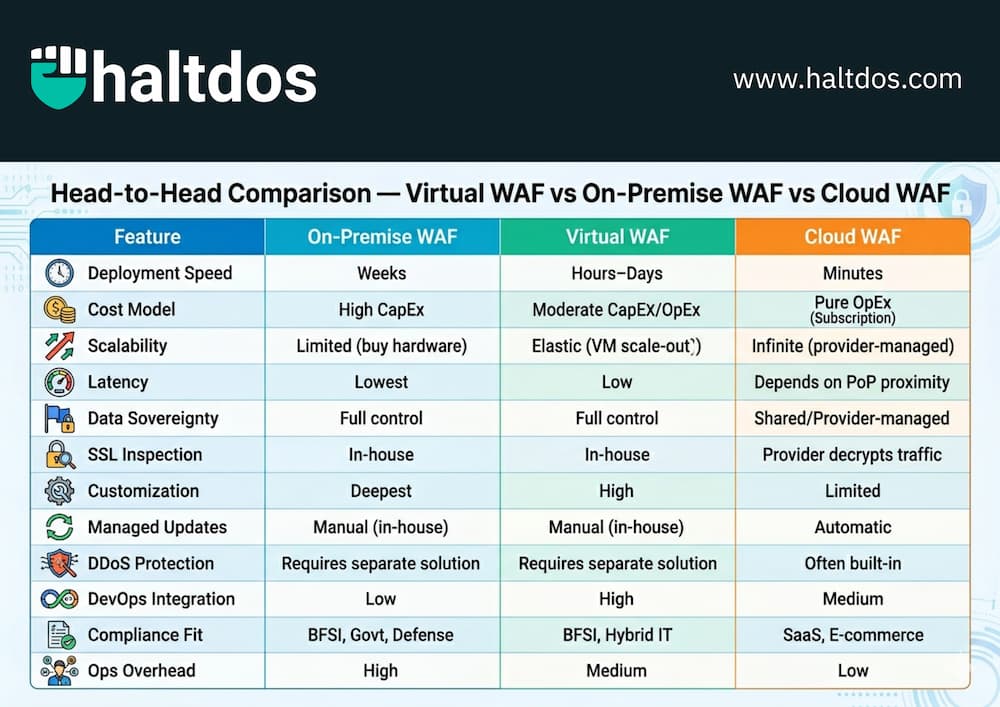
Head-to-Head Comparison — Virtual WAF vs On-Premise WAF vs Cloud WAF
| Feature | On-Premise WAF | Virtual WAF | Cloud WAF |
|---|---|---|---|
| Deployment Speed | Weeks | Hours–Days | Minutes |
| Cost Model | High CapEx | Moderate CapEx/OpEx | Pure OpEx (Subscription) |
| Scalability | Limited (buy hardware) | Elastic (VM scale-out) | Infinite (provider-managed) |
| Latency | Lowest | Low | Depends on PoP proximity |
| Data Sovereignty | Full control | Full control | Shared/Provider-managed |
| SSL Inspection | In-house | In-house | Provider decrypts traffic |
| Customization | Deepest | High | Limited |
| Managed Updates | Manual (in-house) | Manual (in-house) | Automatic |
| DDoS Protection | Requires separate solution | Requires separate solution | Often built-in |
| DevOps Integration | Low | High | Medium |
| Compliance Fit | BFSI, Govt, Defense | BFSI, Hybrid IT | SaaS, E-commerce |
| Ops Overhead | High | Medium | Low |
Which WAF Deployment Model Is Best for You?
There is no universal “best WAF” — the right choice depends on your threat profile, infrastructure, compliance obligations, and team capacity.
Choose On-Premise WAF if:
You operate in a highly regulated sector (banking, government, defense), require zero data to leave your perimeter, have a dedicated security team, and can absorb hardware investment.
Choose Virtual WAF if:
You run a hybrid or private cloud infrastructure, need DevSecOps-friendly deployment, want on-prem-level control without buying hardware, or need to protect workloads across multiple cloud environments with consistent policy.
Choose Cloud WAF if:
You need fast time-to-protection, have globally distributed users, lack in-house WAF expertise, want DDoS mitigation bundled in, and can operate within a subscription model with shared SSL termination.
Hybrid WAF Deployments — The Best of All Worlds?
Many mature enterprises are moving toward hybrid WAF architectures — combining Cloud WAF at the edge (for DDoS absorption and global routing) with On-Premise or Virtual WAF at the application tier (for deep inspection and data control).
This layered approach means:
- Cloud WAF absorbs volumetric attacks at the perimeter
- Virtual/On-Premise WAF performs deep Layer 7 inspection close to the app
- Sensitive data never leaves your controlled environment
- You get global reach with local compliance
This is particularly relevant for Indian enterprises balancing global operations with RBI, SEBI, or DPDP compliance requirements.
Key WAF Evaluation Criteria — What to Check Before You Buy
Before finalizing a WAF deployment model, evaluate these technical factors:
1. Throughput & Latency Requirements — What is your peak traffic volume? What is the acceptable latency addition?
2. SSL/TLS Inspection Strategy — Who terminates SSL? Is that acceptable for your data classification?
3. Rule Customization Depth — Do you need custom signatures for proprietary application logic?
4. Compliance Mandates — GDPR, PCI DSS, RBI guidelines, DPDP Act, ISO 27001 — which apply to you?
5. Integration with Existing Stack — Does it integrate with your SIEM, SOAR, or ticketing systems?
6. Managed vs Unmanaged — Do you have the in-house expertise to tune and maintain WAF rules, or do you need a managed service?
7. Total Cost of Ownership — Factor in hardware, licensing, staffing, and operational costs over 3–5 years.
Frequently Asked Questions (FAQs)
Q1. Is a cloud WAF as secure as an on-premise WAF? Security effectiveness depends on rule quality and tuning, not deployment model. Cloud WAFs benefit from massive threat intelligence pools, but on-premise WAFs offer deeper customization. Neither is inherently “more secure” — it depends on how well it’s configured.
Q2. Can a WAF replace a traditional firewall? No. A WAF operates at Layer 7 and inspects application traffic. A traditional firewall operates at Layers 3–4. They serve complementary functions. A WAF is not a substitute for a network firewall — you need both.
Q3. Does a Cloud WAF slow down my website? If the provider’s PoP is geographically close to your users, it can actually speed up delivery via caching and optimized routing. A distant PoP can add latency. Always test before full deployment.
Q4. What is the difference between a WAF and an IPS? An IPS (Intrusion Prevention System) inspects network packets for known attack signatures at Layers 3–7. A WAF specifically understands HTTP/HTTPS application logic — including session tokens, cookies, query parameters, and API payloads. They address different threat vectors.
Q5. Is a Virtual WAF suitable for Kubernetes environments? Yes. Modern virtual WAF solutions support sidecar proxy deployment, Kubernetes Ingress Controller integration, and service mesh compatibility, making them well-suited for containerized workloads.
Conclusion
The WAF deployment decision isn’t about which model is technically superior — it’s about which model fits your operational reality, compliance obligations, and security maturity.
- If you need absolute data control and deep customization → On-Premise WAF
- If you need flexibility, DevOps integration, and hybrid cloud support → Virtual WAF
- If you need speed, scale, and minimal ops overhead → Cloud WAF
- If you need enterprise-grade resilience without compromise → Hybrid WAF Architecture
At Haltdos, we help organizations assess their threat landscape and deploy the right WAF model — whether that’s a virtual appliance, a cloud-based service, or a layered hybrid architecture. Our VAPT and application security teams can also validate your WAF configuration against real-world attack scenarios.